You can download the latest version of the builder using this button.
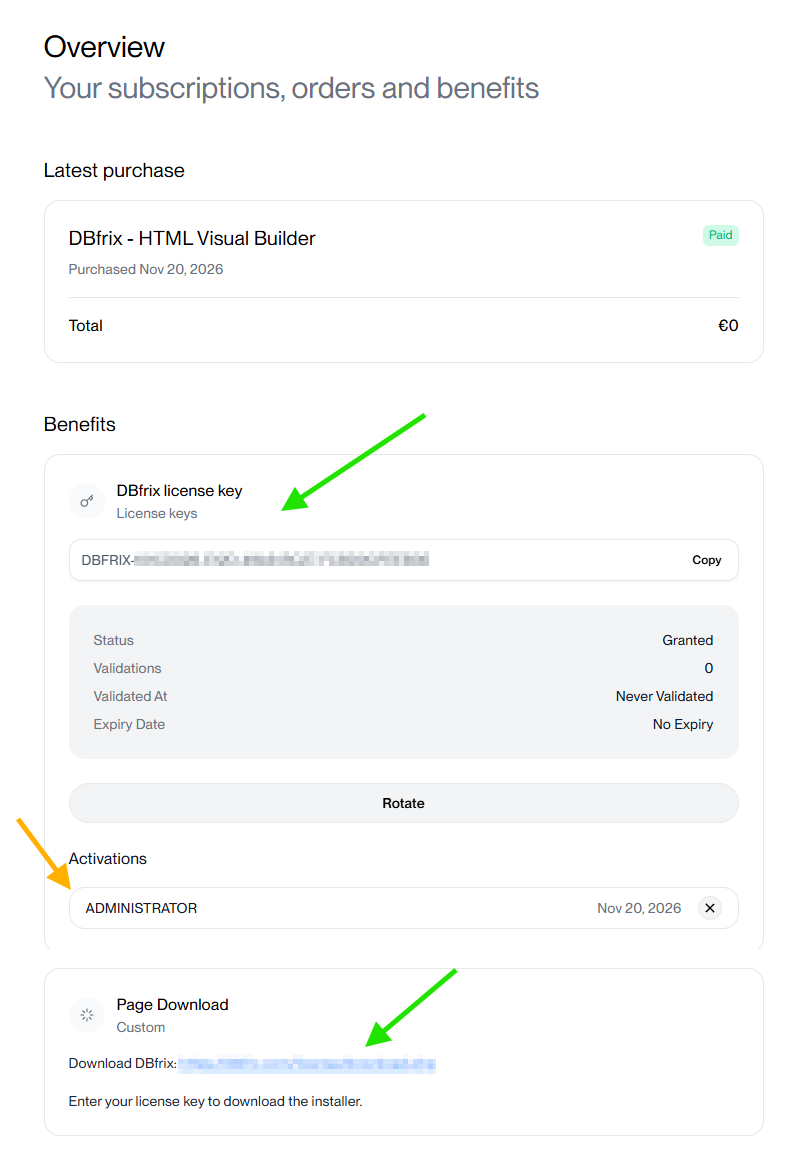
Once you have completed your payment on Polar.sh, you will receive an email with direct access to your dashboard.
You can return to this dashboard at any time—either via the email you received or by visiting the following URL:
https://polar.sh/dbfrix/portal
Simply enter your email address, and you will receive an access code to log in.
Inside your dashboard, you will find your DBfrix activation code.
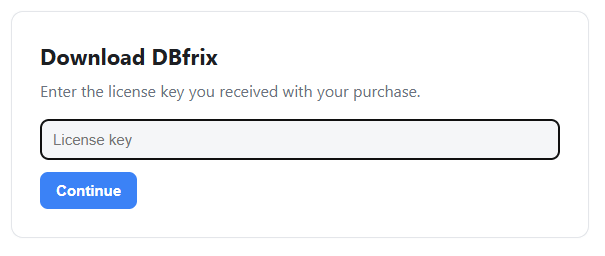
Use this code to access the download after clicking the "download" button.
You will also be asked to enter this same code when you first open the software to activate it.
An internet connection is required only for the activation process.
You can deactivate the license at any time via your Polar.sh dashboard (look for the orange arrow),
allowing you to activate the software on a different device.
The license can be active on only one device at a time.
SHA-256:
B40A4191739B99752EF0E6DB2BE6A15025A3E9F9AF09DCE98F5DF219931F26E7
Due to Windows policies,
which determine the trustworthiness of software based solely on the age of the software developer,
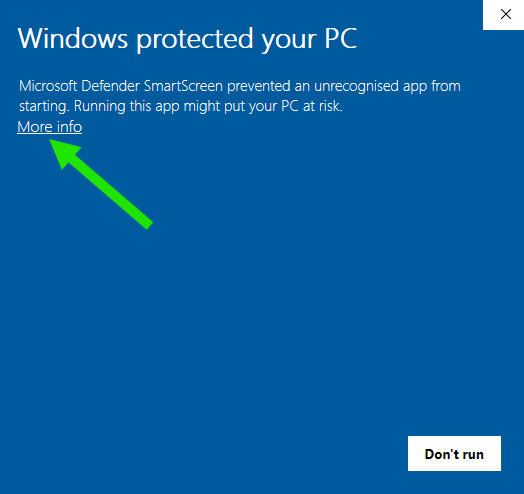
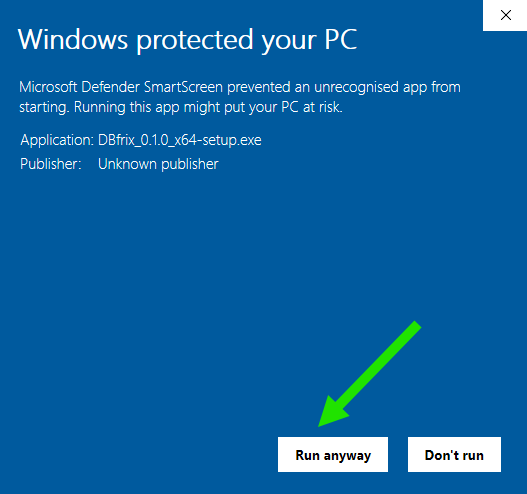
"Microsoft Defender SmartScreen" may be triggered during installation.
This is perfectly normal;
the software does not contain any viruses or malware.
Simply follow the two steps shown below to complete the installation.

Copyright © 2026 DBfrix. All rights reserved.